Nothing To Declare Shift Checklist
Tick every checkpoint step while the queue is live—not after you already guessed.
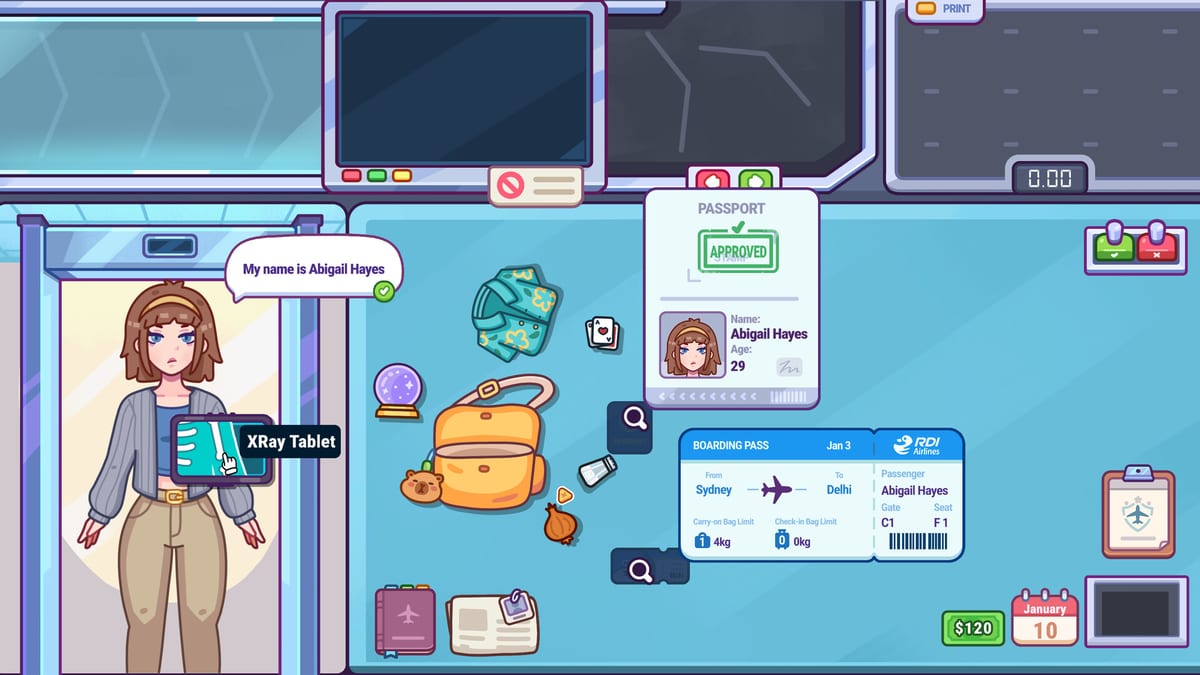
Use this Nothing To Declare Shift Checklist during real shifts. Do not treat it as homework to fill in after you already cleared the line. The point is to catch skipped weighing, skimmed x-rays, lazy interviews, and panic searches while you can still fix the next passenger.
How to use the checklist
- Open this page beside the game.
- Start a demo or full-game shift.
- For each traveler, work the list in order.
- Only search when the checklist’s escalation conditions are met.
- After five clean passengers, you can hide the list—but bring it back the moment penalties return.
Related reading while you play: How to Play, First Shift Tips, Bag Weighing, X-Ray Scanning, Passenger Interviews, and Luggage Search.
Shift Checklist
Tick each step as you process a traveler. Reset when the next passenger arrives.
0 / 6
What each block is protecting
Greeting / rules stops you from ignoring newspaper or document prompts that redefine legal packing.
Weighing forces a hypothesis before the colorful scan steals your attention. Details: Bag Weighing.
X-ray passes prevent flick-glance clears. Details: X-Ray Scanning.
Interview gate asks whether dialogue is needed, not whether dialogue is entertaining. Details: Passenger Interviews.
Search justification demands evidence before the unzip mini-game. Details: Luggage Search.
Outcome note turns every passenger into a lesson for Earning Money and later Workstation Upgrades.
Escalation rules baked into good checklist use
- Clear when story, weight, and scan agree.
- Interview when one channel disagrees or ownership is fuzzy.
- Search when two channels disagree, or when a danger silhouette is obvious.
- Never search only because a passenger was funny, nervous, or part of a Lost But Found callback moment.
Object and people references: Contraband, Passengers, and the broader Items hub.
Drill modes
Mode A — Full obedience. Tick every box for an entire shift. Best for day one and recovery days.
Mode B — Weak-station focus. Keep the full list, but narrate extra detail on your worst tool.
Mode C — Speed honesty. Try to go faster without unchecking any required step. If a step disappears, you are not fast—you are cheating the drill.
When to put the checklist away
Put it away only after the loop is automatic. If you cannot explain a miss, the list comes back. If a patch adds documents, drug checks, cameras, or helpers, the list comes back until the new step is muscle memory—see Updates.
Related wiki routes
Complete the checklist during shifts. Your grade—and your future workstation—depends on the boring ticks you are tempted to skip.
Example passenger walkthrough with the list
Passenger arrives. Tick greeting and note any posted rule. Weigh the bag and write a silent hypothesis—“heavy for a weekend.” Run four x-ray passes; mark whether a dense island appears. If the island conflicts with the weekend story, tick interview and ask ownership. If the answer drifts, tick search justification and unzip with the method from Luggage Search. Resolve, tick outcome, and move on.
That is one cycle. The checklist’s value is not literary—it is repetition under distraction. Cute travelers, Lost But Found callbacks, and upgrade daydreams all compete for your attention. Ticks pull you back.
Troubleshooting the tool habit
If you keep forgetting to tick, shrink the ritual: only force weighing, scan passes, and search justification for a while. Add interview gates back once those three are automatic. If you tick without thinking, reverse the problem—speak the reason aloud before the tick counts. Empty ticks are cosplay; reasoned ticks are training.
Keep Controls comfortable so the wiki tab plus the game do not become a misclick festival. When patches land, add temporary ticks for new documents or systems until Updates knowledge becomes muscle memory.
Frequently Asked Questions
Quick answers to the most common questions.
Should I complete the Shift Checklist while playing Nothing To Declare?
Yes. Use it during live shifts so skipped steps are obvious before the next passenger arrives.
What if the checklist slows me down?
Slow is useful while learning. Speed without steps creates penalties that cost more time later.
Can I search without ticking the justification box?
You can, but the tool exists to stop unjustified searches. If you cannot justify it, do not unzip.
Which guides pair best with the checklist?
How to Play, First Shift Tips, and the four station guides for weighing, x-ray, interviews, and search.
When should I stop using the checklist?
When the loop is automatic—and immediately resume it after misses or major patch changes.