Nothing To Declare Tools Hub
Practical helpers for cleaner shifts—starting with the Shift Checklist.
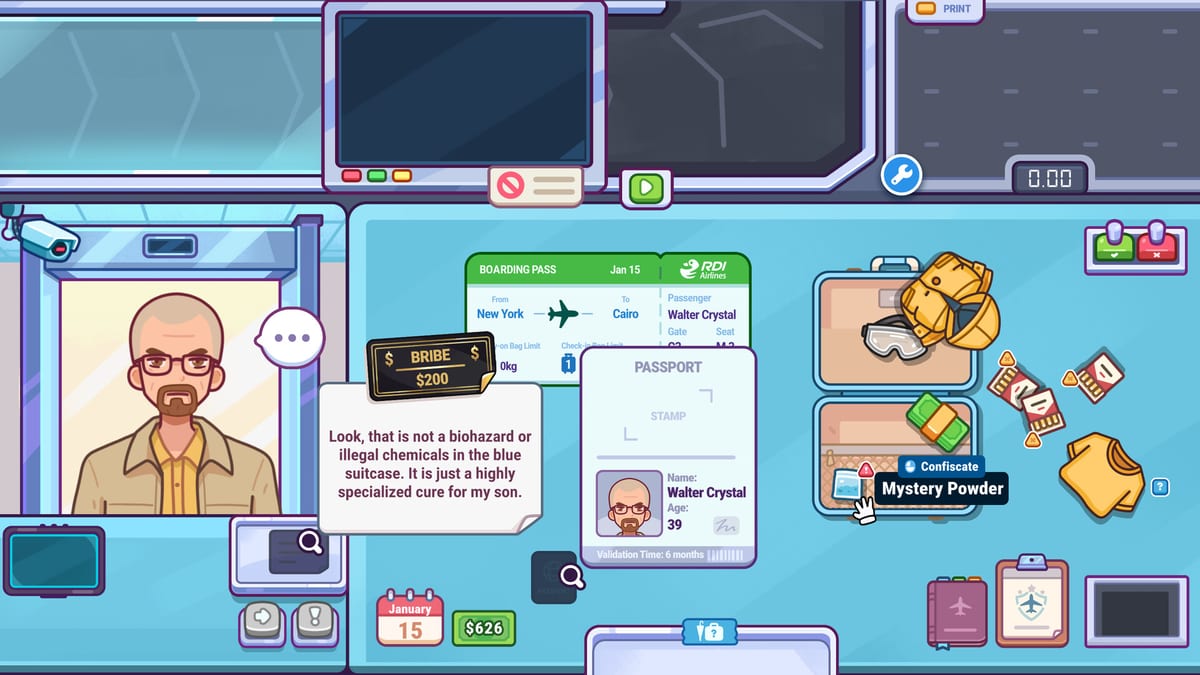
The Nothing To Declare tools hub is where wiki utilities live beside the written guides. Right now the headline tool is the interactive Shift Checklist—a live companion you should complete during actual shifts so cozy chaos does not erase your process.
Why tools belong next to guides
Guides teach ideas. Tools enforce habits. You can read How to Play ten times and still skip weighing when a funny passenger arrives. A checklist on screen makes the skip obvious.
Use tools when:
- You are onboarding through First Shift Tips
- You entered a penalty spiral and need structure
- You are practicing one weak station without abandoning the rest of the desk
- You want a browser companion while Steam is focused
Featured tool
Shift Checklist
Work through greeting, weighing, x-ray passes, interview triggers, search justification, and post-call notes while the queue is live. The page embeds the checklist component mid-article—complete it during play, not after you already guessed.
How to combine tools with the rest of the wiki
Keep these tabs ready:
- Mechanic depth from the Guides hub — especially Bag Weighing, X-Ray Scanning, Passenger Interviews, and Luggage Search
- Target knowledge from Contraband and Passengers
- Economy planning from Earning Money and Workstation Upgrades
- Input comfort from Controls
- Expectations from the review
- Change logs from Updates
- Official destinations from Official Links
Suggested workflow
- Open the Shift Checklist.
- Start a Nothing To Declare shift (demo or full game).
- Tick each step for every passenger until the habit sticks.
- After the shift, note which step you resisted most—that is your study target.
- Read the matching guide, then run another checklist shift.
Future tools mindset
If the wiki adds calculators, randomizers, or rule trackers later, they will land here. The standard remains the same: tools must help real play, not invent fake codes or Roblox-style fluff that does not belong in this Steam sim.
For now, the checklist is the highest-ROI tab you can open. Use it, finish it during shifts, and let cleaner grades fund the desk you actually want.
Tooling standards for this wiki
Every tool we publish should pass three tests:
- Live-play useful — helps during a shift, not only as trivia.
- Honest to the game — no fake codes, gacha banners, or Roblox leftovers.
- Linked to guides — always points back to Guides, Items, and Upgrades so players understand why a tick box exists.
The Shift Checklist is the template. It forces weighing, scanning, interview gates, and search justification in the same order as strong play. If you only open one non-guide page during your first week, open that one.
Coaching a friend with tools
When coaching, do not hover and lecture every click. Open the checklist together, let them run passengers, and only interrupt when a tick gets skipped. Then send the matching deep page: skipped scale → Bag Weighing; skimmed scan → X-Ray Scanning; vibes-only unzip → Luggage Search. That is how tools become teaching multipliers instead of another tab to ignore.
For patch weeks, tools matter even more. New rules create forgotten steps. Put the checklist back on screen until the new normal is boring again—see Updates.
Minimal kit for launch week
If your browser can only spare two wiki tabs besides the game, use these:
- Shift Checklist — live discipline
- Either X-Ray Scanning or Contraband — whichever matches today’s weakness
That kit covers process and recognition. Add Earning Money only after penalties calm down. Add Official Links when you need patch confirmation instead of rumor.
Tools are not collectible badges. If a page does not change your next passenger decision, close it. If it does, keep it pinned until the habit sticks, then graduate to pure game focus with periodic checklist refresher shifts.
Frequently Asked Questions
Quick answers to the most common questions.
What tools does the Nothing To Declare wiki offer?
The headline tool is the Shift Checklist—an interactive companion for live checkpoint discipline.
Should I use the checklist while playing?
Yes. Complete it during shifts so you catch skipped weighing, skimmed scans, or unjustified searches in the moment.
Can tools replace reading guides?
No. Tools enforce habits; guides explain why each step matters and how to read clues.
When is the checklist most useful?
First shifts, penalty spirals, and practice blocks where you are rebuilding process.
Where do I go after the tools hub?
Open the Shift Checklist, then keep Guides and Items pages nearby for reference.